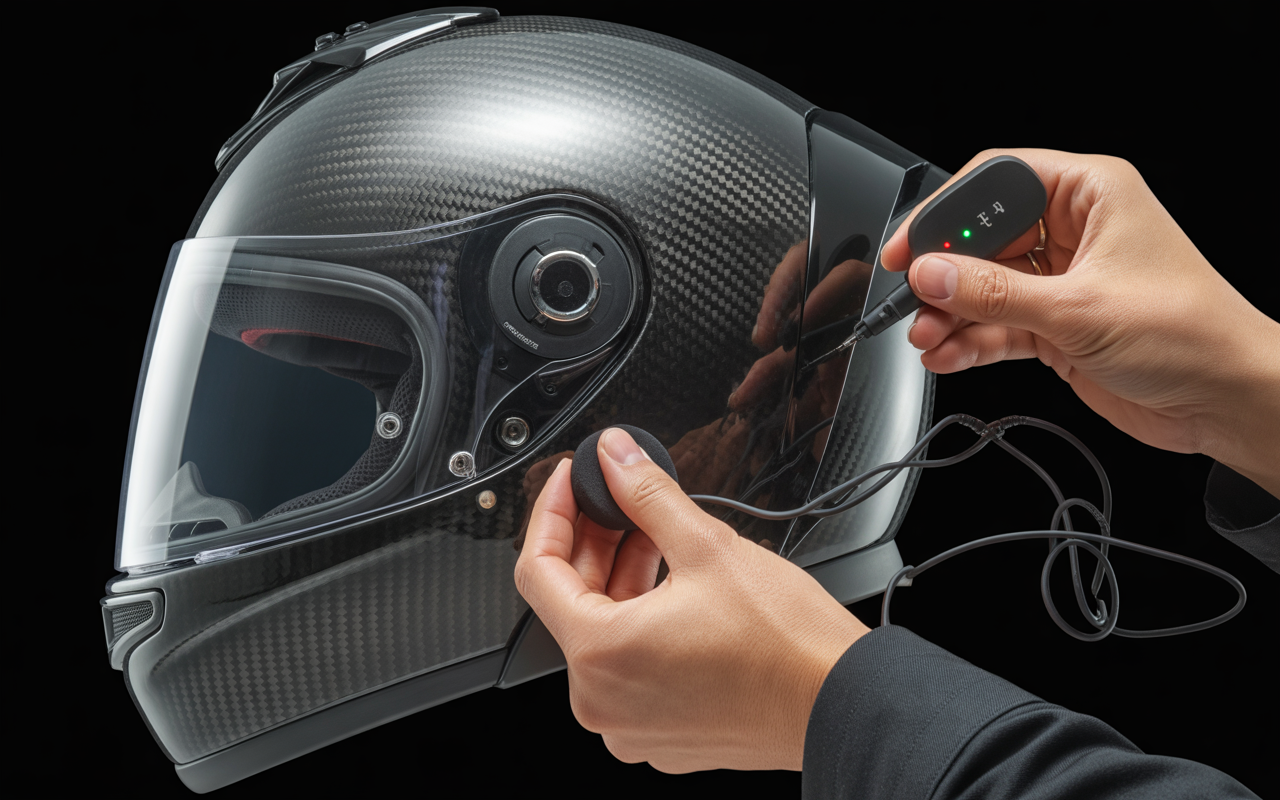
You just bought a shiny new Cardo Packtalk or Sena Bluetooth headset for your motorcycle helmet. Excitedly, you opened the box only to find an intimidating array of 15 different velcro pads, wires, mounting brackets, and mysterious components. That moment of panic is completely normal—I’ve been there myself.
But here’s the good news: it looks far more complicated than it actually is. Installing a Bluetooth headset in your helmet is actually just a 15-minute job if you know the proper order of operations. No engineering degree required!
In this comprehensive guide, we’ll walk you through the entire installation process step by step. You’ll learn how to mount everything securely, ensure there are no dangling wires, and most importantly, position the speakers so they don’t crush your ears during those long rides. By the end, you’ll have a clean, professional installation that looks and performs like it came from the factory.
For additional context on helmet technology and features, check out our Ultimate Guide to Motorcycle Helmets to understand how communication systems integrate with modern helmet designs.
Realized this might be too much work? You can always upgrade to a pre-integrated helmet with built-in Bluetooth technology. Check our list of Best Bluetooth Integrated Helmets for options that eliminate the installation process entirely.
What You Will Need (The Toolkit)
Before diving into the installation process, gathering all necessary tools and components will save you time and frustration. Installing a Bluetooth headset in your helmet requires careful preparation, and having everything at hand ensures a smooth process from start to finish.
The Headset Kit Components
Your Bluetooth communication system (whether it’s a Sena, Cardo, or another brand) typically comes with:
- The main communication unit
- Left and right speakers
- Microphone (boom style for open/modular helmets or wired for full-face)
- Mounting hardware (clamp and/or adhesive mount)
- Various cables and connectors
- Velcro pads and spacers for positioning
- Allen key or screwdriver for tightening the clamp mount
Take a moment to unpack everything and familiarize yourself with each component. Most quality units include detailed instructions specific to your model, which can be helpful to review before starting.
Still looking for the right gear? We’ve compiled a list of the Best Headset for Motorcycle Helmet to help you decide.
Cleaning Supplies for Preparation
Proper adhesion is crucial for a secure installation, making these items essential:
- Rubbing alcohol (70% isopropyl or higher)
- Lint-free microfiber cloth
- Cotton swabs for reaching tight spaces
The alcohol removes oils, wax, and residue from your helmet’s surface, creating the ideal environment for adhesive pads to form a strong bond. Skipping this step is often the reason headset components come loose during rides.
Additional Tools Needed
A few common household items will make the installation process much easier:
- Plastic card (old credit card) or spudger tool for tucking wires
- Small flashlight to see inside the helmet
- Scissors (for trimming velcro if needed)
- Tape measure or ruler (to ensure symmetric speaker placement)
Importance of Preparation
Having everything ready before you begin installation prevents interruptions that might lead to mistakes. The entire process typically takes 15-30 minutes when well-prepared, but can stretch to hours if you need to stop repeatedly for missing items.
Set up a clean, well-lit workspace with enough room to maneuver around your helmet. Many riders find it helpful to place the helmet on a towel to prevent it from rolling during installation.
With your toolkit assembled, you’re ready to transform your standard helmet into a communication-ready riding companion. The next step will be preparing your helmet by removing the interior components.
Step 1: Prep the Helmet (Strip it Down)
Before installing any Bluetooth components, you need to strip your helmet down to access the internal areas where the speakers and wiring will go. This step is crucial for a clean, professional installation.
Remove the Pads
Start by removing the cheek pads on both sides of the helmet. Most cheek pads snap out with gentle but firm pressure—pull outward and slightly downward to release the snaps. Next, remove the main head liner (the padded section that covers the top of your head). This typically pulls out from the back first, then releases from the front.
Pro Tip: Before removing anything, take several clear photos of how everything fits together. This simple step saves tremendous frustration later when you’re trying to remember how those pads were oriented. Pay special attention to how the pads connect and where any tabs or fasteners are located.
Check for Speaker Cutouts
With the padding removed, examine the EPS foam (the firm protective layer) near where your ears would be. In most modern helmets, you’ll notice circular indentations specifically designed for Bluetooth speakers. These cutouts are approximately 40-45mm in diameter and are often slightly recessed into the foam.
If your helmet has these cutouts, congratulations—your installation will be much easier! These dedicated spaces ensure the speakers sit properly without creating pressure points against your ears.
Understanding “Bluetooth Ready” Helmets
Many current helmet models are advertised as “Bluetooth Ready,” but what does this actually mean? A truly Bluetooth-ready helmet features:
- Dedicated speaker pockets in the EPS foam
- Additional space for running wires between the shell and liner
- Sometimes a specific mounting area for the control unit
- Occasionally pre-installed wiring channels
However, don’t worry if your helmet lacks these features. While Bluetooth-ready helmets make installation easier, you can successfully install a communication system in almost any helmet with some careful planning.
Not sure about different helmet types and their technology compatibility? Check out our comprehensive guide to different helmet types and features to understand which helmets work best with communication systems.
Step 2: Mount the Main Unit (Clamp vs. Adhesive)
Installing the main Bluetooth unit is a critical step that determines how securely your communication system stays attached to your helmet. You have two primary mounting options: the clamp method and the adhesive method.
The Clamp Method (Preferred)
The clamp method is generally preferred by most riders for several reasons:
- More secure attachment: The mechanical connection is less likely to fail during rough rides
- No damage to helmet finish: No adhesive means no risk of damaging your helmet’s paint job
- Removable/transferable: Can be moved to another helmet if needed
- Weather-resistant: Not affected by extreme temperatures like adhesives can be
To install using the clamp method:
- Locate the left side of your helmet (clutch hand side)
- Find the gap between the outer shell and the EPS foam liner
- Slide the clamp’s thin plate into this gap
- Position the main unit so it sits comfortably against the shell
- Use the Allen key (typically included in your kit) to tighten the screws until the unit is firmly secured
- Test by gently tugging on the unit – it should not move or shift
The Adhesive Method (Alternative)
If your helmet design doesn’t accommodate the clamp method (some aerodynamic racing helmets have minimal shell edge exposure), the adhesive mounting plate is your backup option:
- Identify a flat surface on the left side of your helmet
- Ensure the area is large enough for the full adhesive plate
- Mark the position with a small piece of tape for reference
Critical Step: Proper surface preparation is absolutely essential for adhesive mounting. Follow these steps carefully:
- Clean the mounting area thoroughly with rubbing alcohol
- Use a lint-free cloth to avoid leaving residue
- Allow the surface to dry completely (at least 2-3 minutes)
- Remove the backing from the 3M adhesive plate
- Press firmly against the helmet for 30-60 seconds
- Allow the adhesive to cure for 24 hours before attaching the main unit or riding
Remember that adhesive mounts can fail if not properly installed, potentially causing your expensive Bluetooth unit to fall off at highway speeds.
Placement Considerations
Regardless of which mounting method you choose, consider these placement factors:
- Height position: Mount the unit at ear level for optimal wire routing
- Clearance: Ensure the unit doesn’t interfere with visor operation
- Button access: Position so you can easily reach the controls with gloves on
- Aerodynamics: Try to keep the unit flush with the helmet’s profile
- Weather exposure: Angle slightly to prevent water pooling during rain
Once your main unit is securely mounted, you’re ready to move on to installing the speakers, which we’ll cover in the next section.
Step 3: Installing the Speakers (The Comfort Zone)
Installing speakers in your helmet is where comfort meets functionality. Get this step right, and you’ll enjoy crystal-clear audio without the discomfort of speakers pressing against your ears.
The most critical aspect of speaker installation is proper alignment. The center of each speaker must align directly with your ear canal—not just somewhere near your ear. Even being off by a centimeter can reduce perceived volume by up to 50%. Before permanently mounting them, hold the speakers in place and put your helmet on to check alignment.
Most modern helmets come with dedicated speaker pockets in the EPS foam near the ears. If your helmet has these pockets, you’re in luck. However, these pockets vary in depth. If they’re too deep, your speakers will sit too far from your ears, resulting in poor audio quality and the need to crank up the volume.
This is where spacers come in. Quality Bluetooth systems like Sena and Cardo include “booster pads” or foam spacers in their kits. These thin foam discs attach to the back of your speakers, effectively pushing them closer to your ears. Start with the thinnest spacer and test the fit—you want the speakers close enough for good audio without pressing painfully against your ears.
For mounting, most kits provide velcro pads. Clean the speaker pocket area with a cloth dampened with rubbing alcohol and allow it to dry completely. Then:
- Attach the rough side of the velcro to the helmet’s speaker pocket
- Attach the soft side to the back of your speaker (or to your foam spacer)
- Press firmly to ensure good adhesion
Wire management is crucial for both comfort and aesthetics. Nobody wants wires dangling inside their helmet or pressing against their neck. Route speaker wires carefully behind the neck roll or over the top of the head liner. Many helmets have channels specifically designed for this purpose.
For a professional-looking installation, tuck any excess wire length between the EPS foam and the helmet shell. Be careful not to create pressure points or sharp bends in the wires, which could lead to damage over time.
If you’re struggling with fitment issues related to your helmet’s internal structure, you might want to review our Motorcycle Helmet Fitment Guide for more insights on different helmet shapes and how they accommodate accessories.
Step 4: Microphone Selection & Placement
Choosing and positioning the right microphone for your helmet style is crucial for clear communication while riding. Different helmet types require specific microphone configurations to ensure optimal performance.
For full face helmets, the wired microphone (often called a “flat” or “button” mic) is your best option. This compact disc-shaped microphone should be attached using the provided velcro pad directly to the inside of your chin bar, positioned right in front of your mouth. The slim profile of this mic is specifically designed to fit within the limited space of a full face helmet without causing discomfort.
When installing in modular or open face helmets, opt for the boom microphone instead. This adjustable mic on a flexible arm provides better positioning options and helps combat increased wind noise that these helmet styles typically experience. The boom should be tucked under the cheek pad with only the microphone end visible.
A critical detail many riders overlook is the directional nature of these microphones. Most quality units like Sena and Cardo feature directional mics with a small arrow or indicator that must point directly toward your mouth. Improper orientation can dramatically reduce voice clarity and increase wind noise pickup.
Speaking of wind noise—the nemesis of clear communication—proper positioning makes all the difference. For boom mics, position them slightly below your mouth rather than directly in front to reduce breath sounds. For wired mics in full face helmets, using the foam wind sock (typically included with your kit) provides additional protection against wind interference.
If you’re using a helmet with different safety ratings, the internal structure might affect microphone placement options, so be prepared to experiment for optimal results.
Remember that microphone positioning is a balance between being close enough to clearly capture your voice while avoiding direct contact with your skin or helmet padding that could create unwanted friction noise during your ride.
Step 5: Hide the Wires (Cable Management)
Once you’ve mounted the main unit and installed the speakers and microphone, you’re left with a web of wires that need to be properly managed. Proper cable management is crucial not only for aesthetics but also for comfort and preventing damage to your Bluetooth system.
The “Tuck” Technique
The key to clean wire management is what riders call “the tuck.” This involves carefully hiding wires between the EPS foam liner and the outer shell of your helmet:
- Start by identifying the natural gaps between the EPS foam and the helmet shell
- Take your plastic card or spudger tool and gently create a small pathway by sliding it between these layers
- Feed the excess wire into this channel, working in small sections rather than forcing the entire length at once
- Move around the helmet’s circumference, tucking wires as you go
For particularly tight spots, you can use the edge of your plastic card to push the wires deeper into the crevice. Be patient with this process—rushing can damage both the wires and your helmet’s interior.
Reinstalling Pads Properly
Before reinstalling your helmet’s interior padding:
- Double-check that all wires are securely tucked away
- Ensure no wires are stretched tightly across open areas
- Verify that connection points (where wires meet the control unit) have a small amount of slack to prevent tension
When reinstalling the cheek pads and headliner:
- Start by positioning the pads loosely in place
- Look for any wires that might get pinched before pressing the pads in
- Begin securing snap fasteners from the back of the helmet, working forward
- Press firmly but gently when securing each snap
Avoiding Wire Damage
Wire damage is one of the most common causes of Bluetooth headset failure. Avoid these critical mistakes:
- Never force the pads back in if you feel resistance (likely a wire is in the way)
- Avoid creating sharp bends in the wires, which can break the internal copper
- Don’t sandwich wires between snap fasteners
- Ensure speaker wires have a natural, gentle curve rather than a tight angle
If you’re installing in a modular helmet, pay special attention to wires near the hinge mechanism, as these can get pinched when opening and closing the front.
Achieving a Clean Final Look
When properly installed, your Bluetooth system should be nearly invisible:
- Only the main unit should be visible on the exterior
- The microphone should be positioned inside (for full face) or neatly along the chin (for modular/open face)
- No wires should be visible anywhere
- Padding should sit flush against your face with no unusual bulges
Take a moment to inspect your work from all angles. If you see any wires peeking out or padding that doesn’t sit quite right, it’s worth taking the time to fix it now rather than being annoyed by it on every ride.
When done correctly, most people won’t even notice you have a communication system installed unless they spot the main unit on the side of your helmet. This clean installation not only looks professional but also ensures the system will stay secure during your rides.
Step 6: The “Pain Test” & Audio Check
After you’ve installed all components and reassembled your helmet, it’s time for the crucial comfort and audio check. This step ensures your new Bluetooth system doesn’t just work but works comfortably for those long rides.
Start by putting on your helmet as you normally would. Wear it for at least 5 minutes while sitting still. This “pain test” reveals pressure points that might become unbearable during longer rides.
Check for Ear Fold Issues
One of the most common problems during installation is improper speaker placement causing ear fold. As you put on the helmet, your ears may fold over if the speakers are positioned too far outward or are too thick for your helmet’s ear pockets.
If you experience ear fold:
- Remove the helmet carefully
- Take out the cheek pads to access the speakers
- Remove any spacers you might have added
- Consider repositioning the speakers slightly higher or lower
- For persistent issues, you might need thinner aftermarket speakers
Audio Testing Procedures
Once the helmet feels comfortable, connect your device to the Bluetooth system following the manufacturer’s pairing instructions. Then:
- Play music at a moderate volume
- Test phone calls with a friend if possible
- Test the intercom function if you have a riding partner with a compatible system
Listen carefully for these audio quality indicators:
- Balance between left and right speakers
- Clarity of sound (no static or distortion)
- Adequate volume at highway speeds
- Voice clarity for calls and intercom
Adjustments for Optimal Sound Quality
If the audio sounds “tinny,” weak, or unbalanced, you likely need to make adjustments:
- Speaker Positioning: The center of the speaker should align precisely with your ear canal. Even a 1cm misalignment can reduce perceived volume by up to 50%. Remove the cheek pads again and reposition as needed.
- Speaker Distance: If audio lacks bass or sounds distant, your speakers might be too far from your ears. Add the included foam spacers behind the speakers to move them closer.
- Volume Settings: Ensure both your device and headset volumes are appropriately set. Many riders make the mistake of having their phone volume too low.
- Background Noise: Test the audio while standing near a fan or other noise source to simulate riding conditions. If voices become unintelligible, you may need to adjust microphone sensitivity in your headset’s app settings.
Remember that the perfect setup often requires several small adjustments. Take your time with this step—proper audio setup ensures you’ll actually use the system you’ve just installed rather than getting frustrated and abandoning it on your first long ride.
Troubleshooting Common Issues
Installing a Bluetooth headset in your helmet doesn’t always go perfectly on the first try. Even experienced riders can encounter issues that affect comfort and performance. Here are solutions to the most common problems you might face:
Wind Noise Problems
If your riding buddies constantly complain about wind noise during calls, your microphone placement is likely the culprit. Try these fixes:
- Reposition the microphone: Ensure it’s not directly in the airflow path or rubbing against your chin
- Add a foam windscreen: Most kits include a small foam cover for the mic—don’t throw it away!
- Check for helmet gaps: Sometimes wind enters through helmet vents or gaps in the seal
- Use the voice-activated feature: This helps prevent the mic from picking up constant wind noise
For particularly windy rides, consider upgrading to a helmet with better aerodynamics that naturally reduces wind interference.
Volume Imbalance Between Speakers
When one speaker sounds louder than the other, it can be disorienting and ruin your audio experience. Here’s how to fix it:
- Check the connections: Ensure the speaker jack is fully inserted into the main unit (it should make a firm click)
- Inspect for pinched wires: Sometimes reinstalling the cheek pads can pinch or damage speaker wires
- Reposition the quieter speaker: It may not be properly aligned with your ear canal
- Test with different audio: Some songs have intentional channel imbalance; try a mono audio test
Remember that speaker placement is critical—even a slight misalignment can dramatically reduce perceived volume in one ear.
Ear Pain Solutions
If your ears hurt after wearing the helmet with the new speakers, don’t ignore it. Pain can lead to dangerous distractions while riding:
- Remove speaker spacers: The speakers might be protruding too much into your ear space
- Check for ear folding: When putting on your helmet, make sure your ears unfold properly
- Consider thinner speakers: Some brands offer low-profile speakers for tight-fitting helmets
- Reposition the speakers: They might be pressing against the top or bottom of your ear
If you’re consistently struggling with comfort, it might be time to consider a different helmet style with more interior space for electronics.
Connection Issues
Bluetooth connectivity problems can be frustrating, especially when you’re already on the road:
- Reset the headset: Most units have a reset procedure (check your manual)
- Update firmware: Manufacturers regularly release updates that improve connectivity
- Check battery levels: Low battery often causes intermittent connections
- Clear paired devices: Remove old pairings that might be interfering
- Mind the range: Remember that rider-to-rider communication typically works within 0.5-1 mile range in ideal conditions
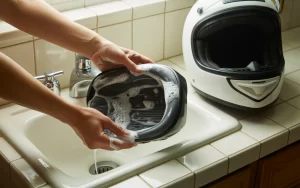
If your helmet liner is getting dirty from frequent use (which can affect both comfort and audio quality), learn how to wash your motorcycle helmet liner properly without damaging your new Bluetooth setup.
With these troubleshooting tips, you should be able to resolve most common issues with your helmet Bluetooth installation. A properly installed system should be comfortable enough to forget it’s there—until you need it.
Installation Variations for Different Helmet Types
Installing a Bluetooth headset requires slightly different approaches depending on your helmet style. Each helmet type presents unique challenges and advantages when it comes to communication system installation.
Full Face Helmets
Full face helmets offer the most straightforward installation process. Their enclosed design provides excellent protection for your communication system components.
Speaker Installation: The ear pockets in full face helmets are typically well-defined, making speaker placement intuitive. Position speakers directly over where your ears sit when wearing the helmet.
Microphone Placement: Use a wired boom microphone (the flat button type) and attach it to the inside of the chin bar, positioned directly in front of your mouth. This placement provides optimal voice pickup while being protected from wind noise.
Wire Management: Route wires along the helmet’s inner lining, tucking them between the comfort liner and EPS foam. The complete enclosure of a full face helmet helps keep everything secure and hidden.
Mounting Unit: The side mounting clamp typically fits perfectly between the shell and padding on full face helmets, providing a secure attachment point.
Modular (Flip-Up) Helmets
Modular helmets require special attention during installation due to their movable chin bar.
Speaker Installation: Similar to full face helmets, but ensure the speakers don’t interfere with the helmet’s flip-up mechanism.
Microphone Placement: Use a boom microphone positioned to avoid contact with the pivot points of the flip-up mechanism. Test the flip-up function several times to ensure the mic doesn’t get caught or damaged.
Wire Routing Considerations: Be extra careful routing wires near the hinge points. Leave enough slack near the hinges to prevent wire strain when the chin bar is raised, but not so much that wires become pinched when closed.
Special Attention: Test the flip-up mechanism thoroughly after installation to ensure nothing catches or binds.
Open Face Helmets
Open face helmets present unique challenges due to their exposed design.
Speaker Installation: The process is similar to other helmet types, but open face helmets sometimes have less defined ear pockets. You may need to be more creative with speaker placement.
Microphone Placement: Wind noise is a significant issue with open face helmets. Use a boom microphone with a substantial wind sock, positioning it as close to your mouth as possible without obstructing your view.
External Components: Consider using a larger wind sock for the microphone to combat increased wind noise. Some riders find that positioning the boom microphone slightly below the mouth rather than directly in front works better for open face helmets.
Control Unit Placement: With less surface area to work with, finding an optimal position for the main unit can be challenging. Ensure it doesn’t interfere with your peripheral vision.
When installing a Bluetooth system in any helmet type, remember that proper helmet fitment is crucial for comfort and safety. A helmet that fits well will keep your communication system components in their proper positions during rides.
Maintaining Your Bluetooth System for Optimal Performance
Keeping your helmet Bluetooth system in top condition requires regular maintenance. This ensures clear communication, extended battery life, and overall reliability when you need it most.
Cleaning Tips for Bluetooth Components
Your Bluetooth components will inevitably collect dust, sweat, and grime over time. Here’s how to safely clean them:
- Speakers: Use a slightly damp microfiber cloth to gently wipe the speaker surfaces. Avoid soaking them or using harsh chemicals that could damage the electronics.
- Microphone: For boom mics, a light brushing with a soft toothbrush can remove dust from the foam cover. For wired mics, gently wipe with a barely damp cloth.
- Main Unit: Clean the exterior with electronic-safe wipes. Pay special attention to the buttons and charging port where dirt tends to accumulate.
- Connection Points: Use a cotton swab with a tiny amount of rubbing alcohol to clean connection points between components.
Never submerge any electronic components in water, and always ensure everything is completely dry before reassembly.
Battery Care for Extended Lifespan
Proper battery maintenance can significantly extend the life of your Bluetooth system:
- Optimal Charging: Avoid letting the battery completely drain before recharging. Most modern systems perform best when kept between 20-80% charge.
- Storage Practices: If storing your helmet for extended periods (winter storage), charge the system to about 50% first. This prevents battery degradation.
- Temperature Considerations: Extreme temperatures can damage batteries. Don’t leave your helmet in direct sunlight or freezing conditions for extended periods.
- Charging Ports: Keep the charging port clean and protected from moisture. Many systems come with a small rubber cover for the port—use it!
Reinstallation After Washing Your Helmet Liner
When you wash your motorcycle helmet liner, you’ll need to properly reinstall your Bluetooth components:
- Ensure the liner is completely dry before reinstallation.
- Check that all Velcro pads are still firmly attached to the helmet shell.
- Reconnect all components following the original installation pattern.
- Test the positioning of speakers before fully securing the liner.
- Verify that no wires are pinched between the liner and shell.
Take this opportunity to inspect all components for wear or damage before putting everything back together.
Checking for Loose Connections and Wear Points
Regular inspection can prevent mid-ride communication failures:
- Wire Inspection: Check for fraying or wear, especially at bend points near the unit connection.
- Mount Security: Ensure the main unit’s mount remains tight and secure.
- Speaker Positioning: Verify speakers haven’t shifted from their optimal position.
- Velcro Adhesion: Replace any Velcro pads that no longer stick properly.
A quick inspection before long rides can save you from frustrating communication failures when you’re miles from home.
By maintaining your Bluetooth system properly, you’ll ensure clear communication, extend the life of your investment, and avoid the inconvenience of mid-ride failures. Just like your helmet safety is critical, so is the reliability of your communication system.
When to Consider Upgrading Your Bluetooth System
Installing a Bluetooth headset in your helmet is just the beginning of your connected riding journey. As technology evolves rapidly, you may find yourself contemplating an upgrade to your current system. Here’s when you should consider taking that step:
Performance Issues with Current System
If your current Bluetooth system struggles with battery life, connection stability, or audio quality, it might be time for an upgrade. Modern units like the Cardo PackTalk Edge or Sena 50S offer significantly improved performance over older models, with features like Dynamic Mesh Communication and enhanced noise cancellation.
Feature Enhancements
Newer models come with advanced features that can transform your riding experience:
- Natural voice commands that work even at highway speeds
- Multi-channel mesh communication for larger riding groups
- HD audio with improved bass response
- Smartphone app integration for customized settings
- Longer range (up to 1 mile with some mesh systems)
Backward Compatibility Considerations
Before upgrading, consider compatibility issues with your riding companions:
- Cross-brand limitations: While Cardo and Sena have introduced universal connectivity, features are often limited when connecting across brands
- Mesh vs. Bluetooth: Newer mesh communication systems often can’t use all features when paired with older Bluetooth-only devices
- Group compatibility: If you ride in groups, coordinating upgrades can ensure everyone enjoys the same communication capabilities
If you’re the only one upgrading in your group, check if your new device has a “backward compatibility mode” to maintain connections with older units.
Adding Premium Speakers and Accessories
You don’t always need a complete system upgrade to enhance your experience:
JBL Speaker Upgrades
Many riders find that upgrading just the speakers delivers the most noticeable improvement:
- JBL speakers compatible with Cardo systems offer significantly improved bass response and clarity
- Sena’s HD speaker upgrades provide better volume and audio quality without requiring a new main unit
- These premium speakers are particularly valuable for music lovers and those who use their system for GPS directions
Additional Accessories Worth Considering
- Handlebar remote controls for safer operation while riding
- Extended batteries for long-distance touring
- Specialized microphones for different helmet types
- Waterproof covers for extreme weather protection
When deciding between a full system upgrade or just adding accessories, consider your primary use case. If it’s mainly music quality you’re after, new speakers might be sufficient. If it’s communication range or reliability, a complete system upgrade would be more appropriate.
Before purchasing any accessories, double-check compatibility with both your current Bluetooth system and your specific helmet model. Some premium speakers, for example, require more installation depth than standard options and might not fit comfortably in all helmets.
Conclusion: Enjoy the Ride Connected
Congratulations! You’ve successfully installed your Bluetooth headset into your motorcycle helmet. While the process might have seemed intimidating at first with all those wires, speakers, and mounting components, following this step-by-step guide should have made the installation relatively straightforward. Remember that proper installation not only ensures optimal audio quality but also enhances your overall riding experience and safety.
The benefits of a correctly installed Bluetooth system extend far beyond just listening to music. You’ll enjoy crystal-clear communication with riding partners, precise GPS directions, and the ability to take important calls without stopping. Plus, with no dangling wires or uncomfortable pressure points, you can focus entirely on the road ahead.
If you encountered any challenges during installation, don’t hesitate to revisit the troubleshooting section. Sometimes a minor adjustment to speaker placement or microphone positioning can make a world of difference in performance.
Now that you’re connected and ready to ride, it’s time to put your new communication system to good use. Whether you’re planning a solo adventure with your favorite playlist or coordinating with friends on a group ride, your Bluetooth headset opens up new possibilities for your motorcycling experience.
Looking for some inspiration for your next journey? Check out our Riding Tips section for great route ideas and make the most of your newly connected helmet!
FAQs About Installing Bluetooth Headsets in Helmets
Can I install a Bluetooth headset in any motorcycle helmet?
Yes, you can install a Bluetooth communication system in virtually any motorcycle helmet, though “Bluetooth Ready” helmets with dedicated speaker pockets make the process easier. Helmets without pre-cut speaker pockets may require more careful positioning and potentially thinner speakers to ensure comfort, but the installation is still entirely possible with patience and proper technique.
How long does it take to install a Bluetooth headset in a helmet?
A typical Bluetooth headset installation takes between 15 to 30 minutes when you have all tools ready and follow the proper steps. First-time installers might need 45 minutes to an hour as they familiarize themselves with their specific helmet’s interior structure and learn the wire management techniques. The process becomes much faster on subsequent installations.
Should I use the clamp mount or adhesive mount for my Bluetooth unit?
The clamp mount is generally preferred because it’s more secure, doesn’t damage your helmet’s finish, and allows you to transfer the unit to another helmet if needed. However, if your helmet design doesn’t accommodate the clamp method—particularly with some aerodynamic racing helmets that have minimal shell edge exposure—the adhesive mount works well as long as you properly clean the surface with rubbing alcohol first.
Why do my ears hurt after installing Bluetooth speakers in my helmet?
Ear pain typically occurs when speakers protrude too far into the ear space or aren’t properly aligned with your ear canal. Remove any foam spacers you’ve added behind the speakers to reduce their depth, ensure your ears aren’t folding when you put the helmet on, and verify the speakers are positioned correctly in the ear pockets rather than pressing against the top or bottom of your ears.
How do I know if my speakers are positioned correctly?
Properly positioned speakers should have their center aligned directly with your ear canal, not just somewhere near your ear. Test by playing audio at moderate volume—if it sounds distant, tinny, or requires excessive volume to hear clearly, the speakers are likely misaligned. Even being off by just one centimeter can reduce perceived volume by up to 50 percent, so precise positioning is crucial.
Can I wash my helmet liner with the Bluetooth system installed?
It’s best to remove all Bluetooth components before washing your helmet liner to prevent water damage to the electronics. Carefully disconnect the speakers, microphone, and main unit, then wash and completely dry the liner before reinstalling the components. This also gives you an opportunity to inspect all connections and Velcro pads for wear or damage.
What’s the difference between boom and wired microphones?
Boom microphones feature a flexible arm and work best for modular and open face helmets where wind noise is higher and adjustable positioning helps. Wired (or flat button) microphones are compact disc-shaped units designed specifically for full face helmets where space inside the chin bar is limited. Using the wrong microphone type for your helmet style can result in poor voice quality and increased wind noise.
How do I reduce wind noise on my Bluetooth microphone?
Position your microphone slightly below your mouth rather than directly in front to reduce breath sounds, ensure it’s not rubbing against your chin or in direct airflow, and always use the foam windscreen that comes with your kit. For boom microphones in open face helmets, consider upgrading to a larger wind sock for additional protection against wind interference during highway riding.
Why is one speaker quieter than the other?
Uneven speaker volume usually results from incomplete connection (ensure the speaker jack clicks firmly into the main unit), pinched or damaged wires from reinstalling cheek pads, or misalignment where one speaker sits further from your ear than the other. Check all connections first, then verify both speakers are equally positioned relative to your ear canals before assuming you have a defective component.
Do I need to upgrade my entire Bluetooth system or can I just replace the speakers?
You don’t always need a complete system upgrade to improve audio quality. Many riders find that upgrading just the speakers to premium options like JBL-compatible units delivers the most noticeable improvement in bass response and clarity without requiring a new main unit. However, if you’re experiencing connection issues, limited range, or want advanced features like mesh communication, a full system upgrade would be more appropriate than just replacing speakers.